Market / Rig Linter
Blender add-on · Free
Rig Linter
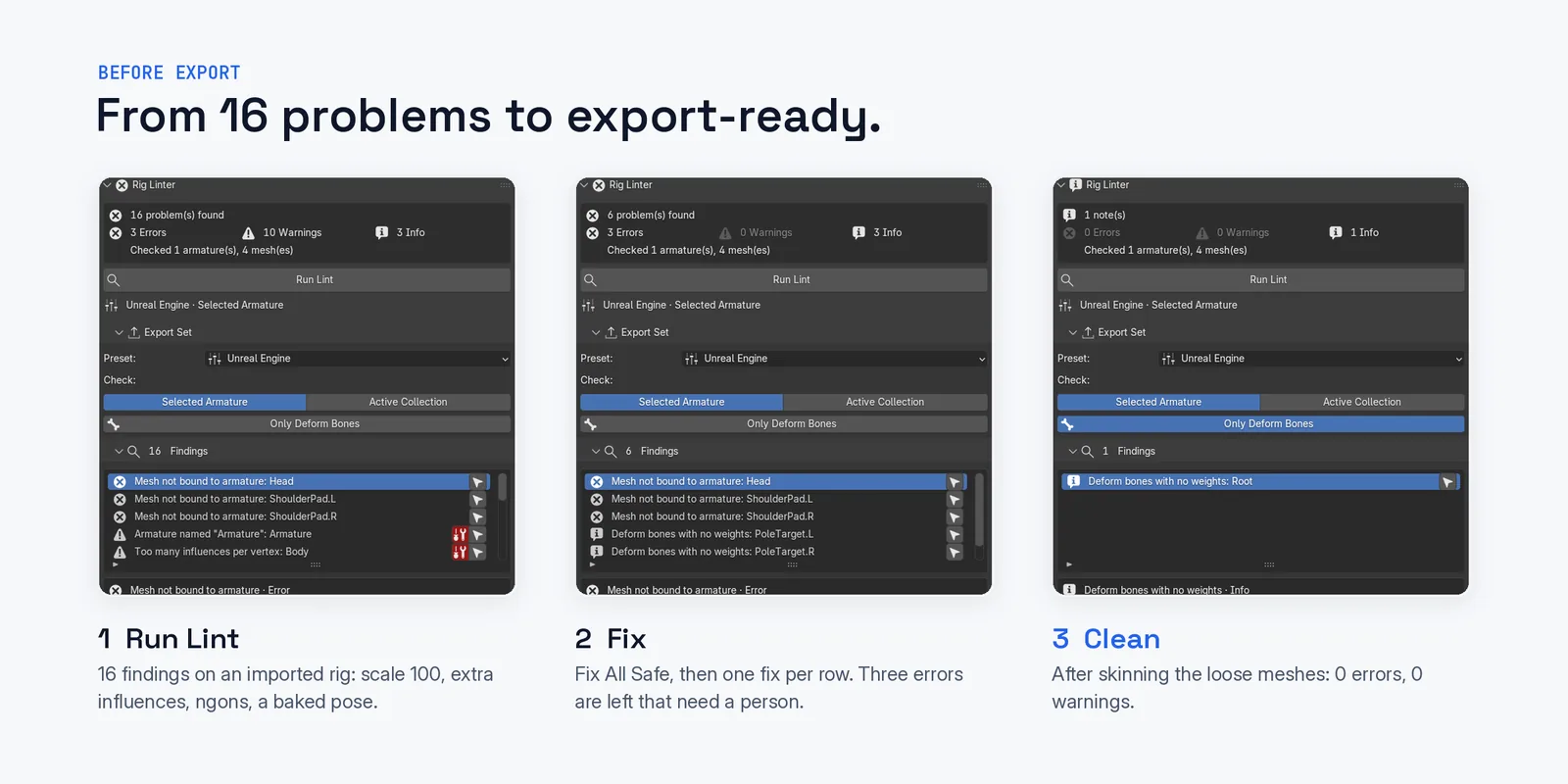
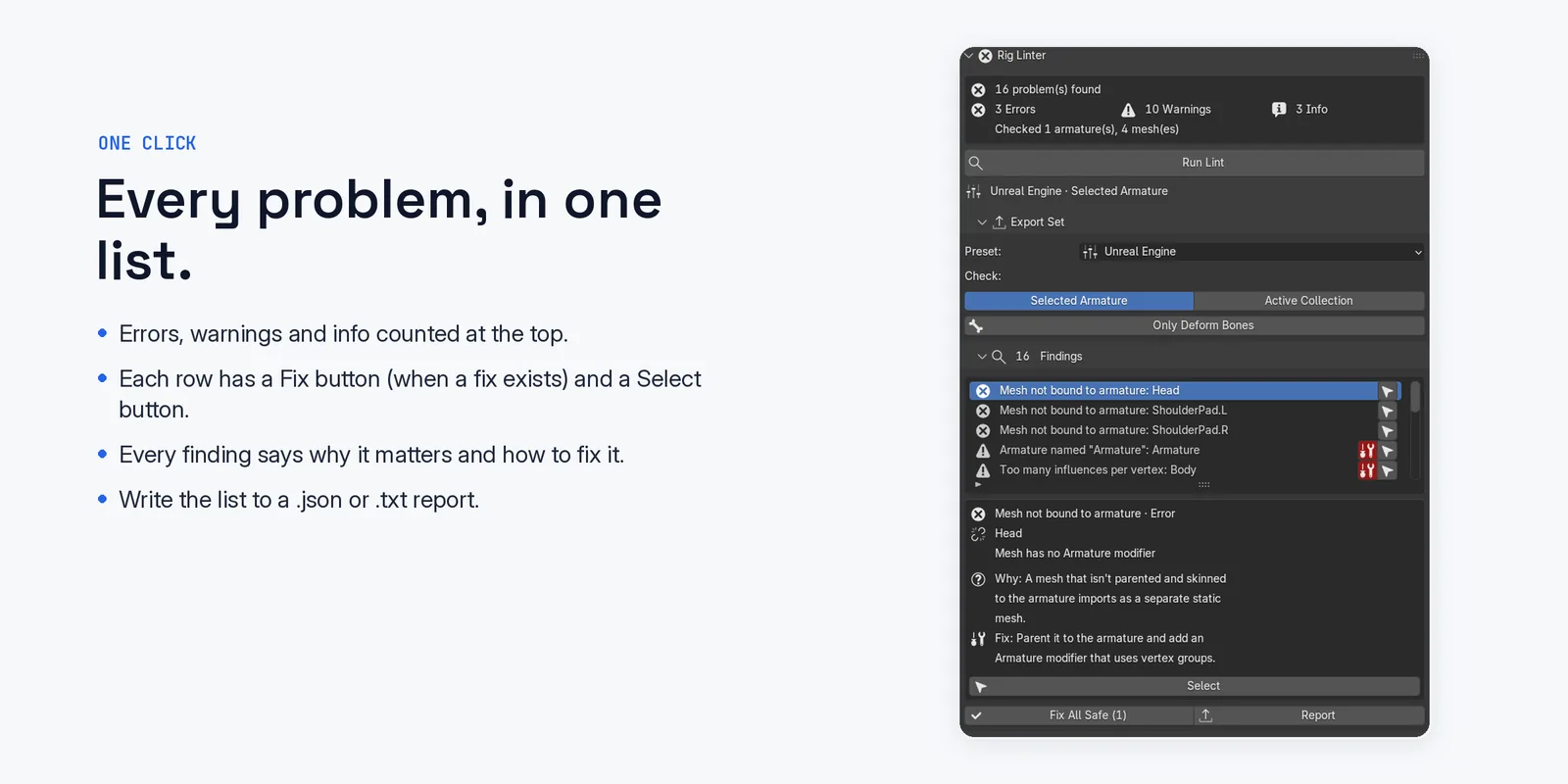
Catch rig problems before export. One click checks your armature and skinned meshes, explains every problem, and fixes the safe ones.
- 19 checks for Unreal, Unity and generic FBX
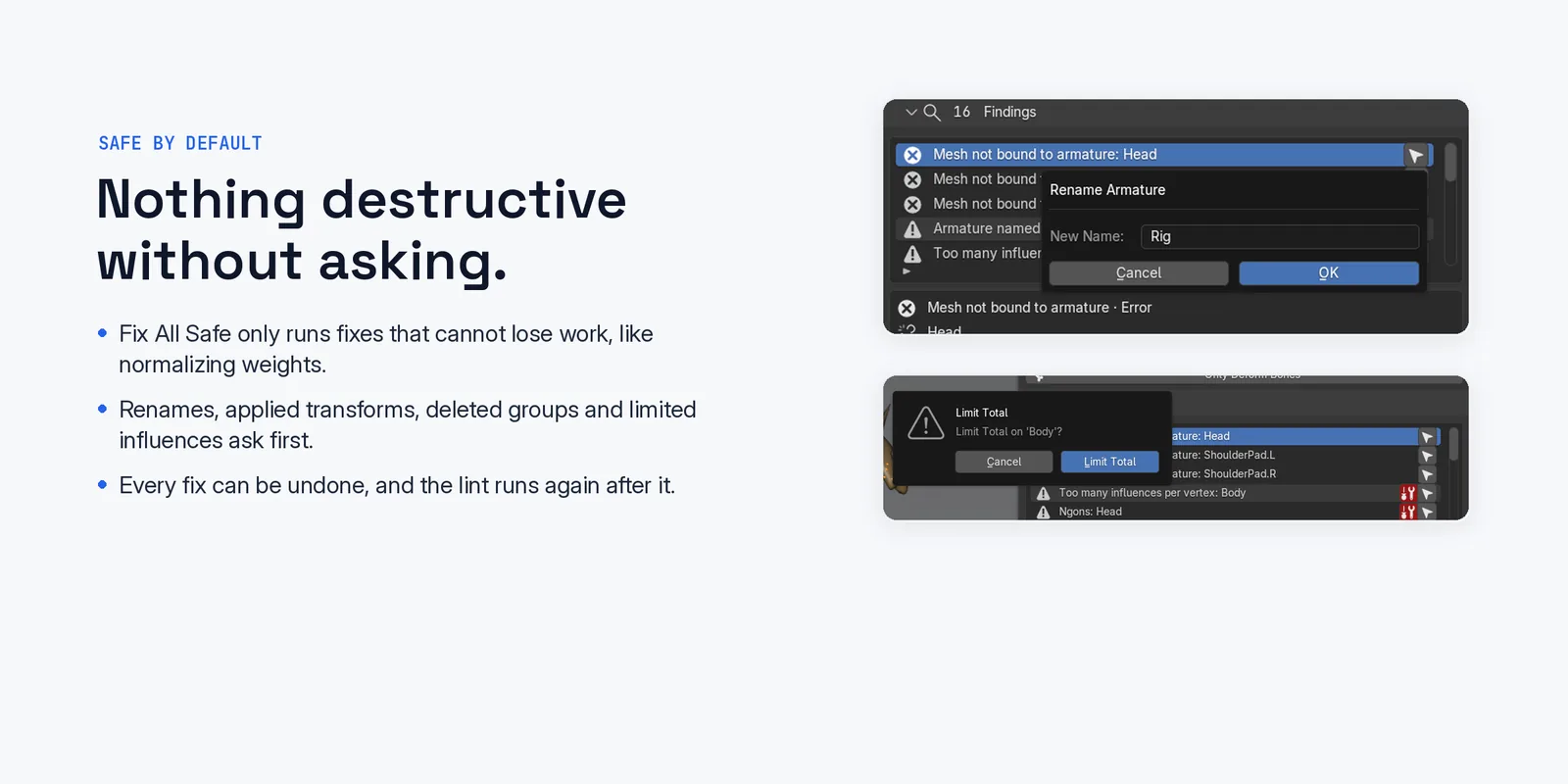
- Fix All Safe in one click. Anything risky asks first.
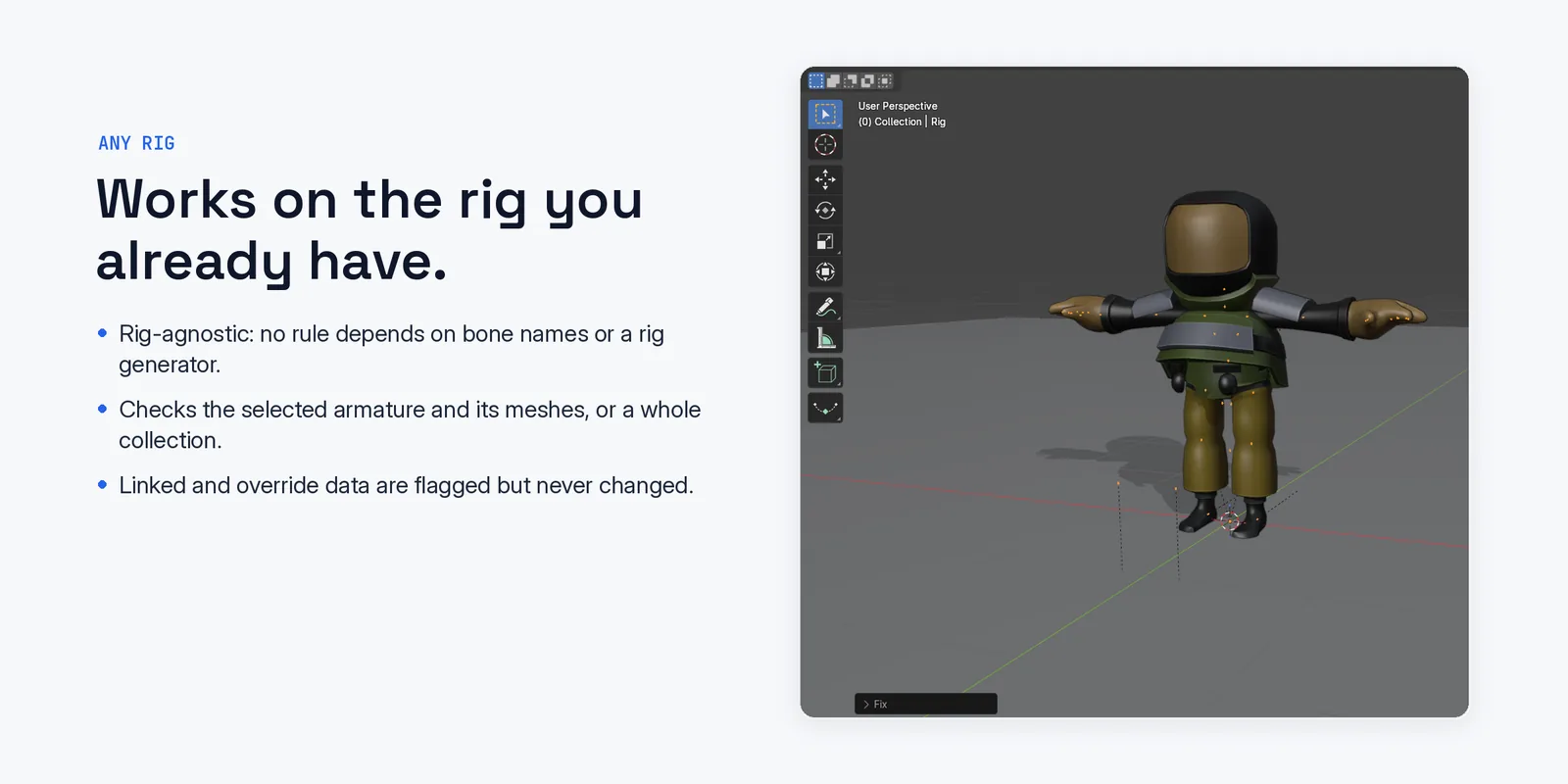
- Any rig. No rule depends on bone names.
What it checks
Nineteen things that go wrong on import
Skeleton
- Helper bones that would end up in the engine
- Non-deform bones breaking a deform chain
- More than one root bone
- Zero-length or too-short bones
- Armature name that makes Unreal add an extra root
Skinning
- Meshes that aren’t bound to the armature
- Too many influences per vertex
- Weights that don’t add up to 1
- Vertex groups with no matching bone
- Deform bones with no weights
Transforms and scale
- Unapplied rotation or scale
- Negative scale
- Scene unit scale the engine won’t like
- Character size in real-world units
- A pose that would get baked into the file
Mesh and setup
- Ngons
- Armature modifier not first
- Unreal and Unity scale notes, so nothing surprises you on import
A closer look
In the download
- The add-on (Blender extension, v0.2.0)
- A demo character with export problems added on purpose
- A short manual (PDF and Markdown)
Blender version
- Tested on Blender 5.2.3.
- It checks; it doesn’t export. Use Blender’s FBX exporter as usual.
- Engine presets are a starting point, not a certification.
- Not yet tested on Rigify or Auto-Rig Pro production rigs.
Free with the Friday letter
News, tools, deals and a few jobs, once a week.
Get Rig LinterGPL-3.0-or-later. Demo character: Character Soldier by Quaternius (CC0).