HueAtlas Lite is a free Blender add-on for palette-textured low-poly kits
HueAtlas Lite, a new GPL add-on, textures a whole low-poly kit with one material and one small palette image. Pick a swatch, click Assign, and change colors later without touching UVs.
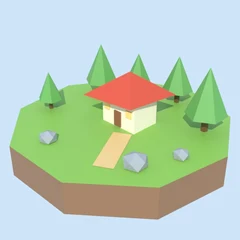
A lot of stylized and low-poly games use the same trick for color: one material, one tiny palette image, and every face UV-mapped onto a flat swatch. It’s light and easy for game engines to handle, but doing it by hand means dragging UVs around one face at a time. HueAtlas Lite, a new free add-on from Swatchworks, does that part for you inside Blender.
Version 1.0.0 came out on GitHub on November 19, with a 1.0.1 cleanup on November 21. It’s licensed GPL-3.0-or-later and works in Blender 4.2 and newer.
How it works
You click New Palette Atlas, set the cell size and number of columns, and edit the swatch colors. Then you select faces in Edit Mode (across several objects at once) or whole objects in Object Mode, pick a swatch and click Assign. HueAtlas builds the palette image with exact colors and 2-pixel gutters, adds the material to the mesh, and remembers which swatch each face uses. Change a color later and the image updates without moving any UVs.
The Lite edition includes:
- A palette atlas generator with exact colors and edge-extended gutters
- Assign to selected faces or whole objects, plus select by swatch and pick a swatch from a face
- Palette import from GIMP
.gplfiles, hex color lists and HueAtlas JSON, plus JSON export - A material that exports to glTF as is, ready for Godot, Unity or Unreal
- A basic audit that finds unassigned faces and UVs that cross swatch borders
One tip from the docs: set the cell size and columns before you assign faces. Lite never moves a cell that faces already use, so once colors are assigned it keeps the layout and tells you why.
Lite and full versions
The developer says a paid full version is “coming soon to Superhive.” It adds palette edits that keep every face’s color (reordering, inserting and deleting swatches), gradient swatches, mip-safe padding, roughness, metallic and emission maps, color themes and ready-made Godot, Unity and Unreal files. The free edition covers the core workflow on its own.
The README notes that HueAtlas was written with AI assistance (Claude Code) and that every feature has an automated test. The developer says it’s tested on Blender 4.2 LTS, 4.5 LTS, 5.2 LTS and 5.3.
Why it matters
Palette texturing is a quick way to give a game kit, a background set or a stylized animation a clean, consistent look, and it keeps file sizes tiny. A free, open-source tool that handles the UV bookkeeping is handy for Blender users who send assets to Godot. We haven’t tried it yet.
To install, download hueatlas_lite-1.0.1.zip from the Releases page without unzipping it, then use Edit > Preferences > Get Extensions > Install from Disk.
Sources: HueAtlas Lite on GitHub (README, user guide and releases). Further coverage: BlenderNation.
Thumbnail: Swatchworks, HueAtlas Lite announcement image (cropped)