PlayCanvas ships SuperSplat for Blender 0.1.0
The MIT-licensed extension imports SuperSplat scenes into Blender by link and publishes Gaussian splats back to SuperSplat. It needs Blender 5.3 or later, still in release candidate until 10 November.
PlayCanvas published SuperSplat for Blender 0.1.0 on 5 November: a first release that pulls SuperSplat scenes into Blender by link and sends Gaussian splats back out. The extension is MIT-licensed and needs Blender 5.3 or later. Blender 5.3 is in release candidate until 10 November. Facts below come from the GitHub release notes and README. We have not run the extension ourselves.
What it does
Import takes a superspl.at scene link or scene ID. Only scenes whose owners allow downloads can be fetched. A lookup shows the author, license, format and splat count before anything downloads. For streamed SOG scenes, a Detail setting picks the level of detail, and an Environment option brings the scene’s environment in as a separate object parented to the import. Scenes land upright at the 3D cursor, selected and framed.
On the way out, Publish exports the selected splat as a standard 3DGS PLY and uploads it as an unlisted SuperSplat scene, with an optional title and description. Convert Axes for SuperSplat, on by default, applies the object’s transform and converts Blender’s Z-up to the 3DGS convention, including rotations and spherical harmonics. You can lower the spherical-harmonics degree before upload to shrink the file. Objects with non-uniform scale, shear or mirroring cannot be published. A scene imported through the extension publishes back with its original coordinates.
Attribution and the API key
Every imported object keeps its scene ID, author and license. An Attribution panel links to the scene and its license, and credits collect in a SuperSplat Attributions text block. Authentication uses a token from the API Tokens page of a PlayCanvas account. The README says the key lives in the login Keychain on macOS and in an owner-only file on Windows and Linux, never in Blender preferences, and that the extension only talks to SuperSplat when you press a button.
How to try it
Install the zip from Releases with Edit > Preferences > Get Extensions > Install from Disk, then turn on Preferences > System > Network > Allow Online Access. PlayCanvas calls 0.1.0 an early release and asks for bug reports in GitHub Issues. For people already watching Blender’s native splat work in 5.3, this is the round-trip back to the SuperSplat web editor.
Sources:
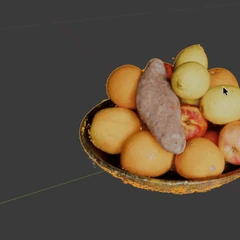
Thumbnail: PlayCanvas docs hero; scene The Fruit Bowl by SuperDelphi (CC BY 4.0)